

How to write a software requirements document, with a copyable template and an example of turning a vague requirement into a clear one.

A software requirements document tells the people building your product what it has to do. Without one, each person fills the gaps with their own guess. The differences usually show up late in the project. By then, fixing them costs a lot. A PMI survey asked more than 2,000 practitioners and business analysts about requirements. Poor requirements management caused nearly half of unsuccessful projects to miss their goals. It also cost 5.1% of every dollar spent on projects. This guide explains what goes into a software requirements document and how to write one step by step. It also includes a template you can copy.
What Is a Software Requirements Document?
A software requirements document describes what a product must do and the limits it has to work within. Many teams call it an SRS, which stands for software requirements specification. It says what the product does, and it leaves how to build it to the developers.
Different people use the same document for different reasons. Developers read it to know what to build, and testers read it to know what counts as working. The client or product owner uses it to confirm that everyone expects the same thing before the work starts.
That shared agreement is the main value of the document. For example, a question like “should users be able to cancel an order?” gets answered once, in writing, before anyone writes code.
What Goes Into a Software Requirements Document
Most requirements documents share the same five parts. The order can change, but the parts rarely do.
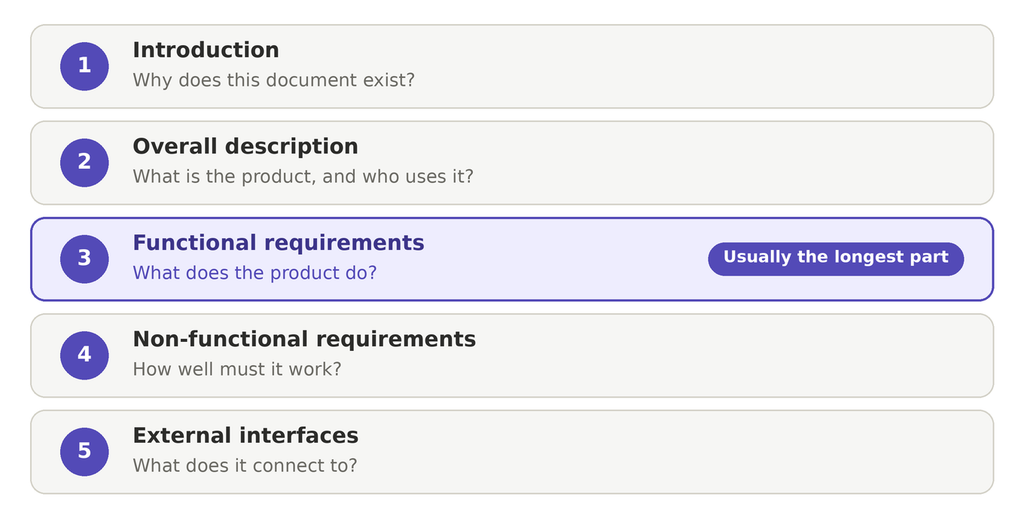
Introduction
This part states the purpose of the document and the scope of the product. It also names the readers and defines any terms that could confuse them.
Overall Description
Here you describe the product in plain words and say who will use it. You also note any assumptions, such as “users will have an internet connection.”
Functional Requirements
These describe what the product does. Each one covers a single behavior, such as “the system sends a confirmation email after every booking.” This is usually the longest part.
Non-Functional Requirements
These describe how well the product must work. They cover speed, security, and how many users it must handle at once. Teams often skip this part, so it is worth writing early.
External Interface Requirements
This part covers how the product connects to the outside. That includes the screens people use, the other software it talks to, and any hardware it needs.
How to Write a Software Requirements Document Step by Step
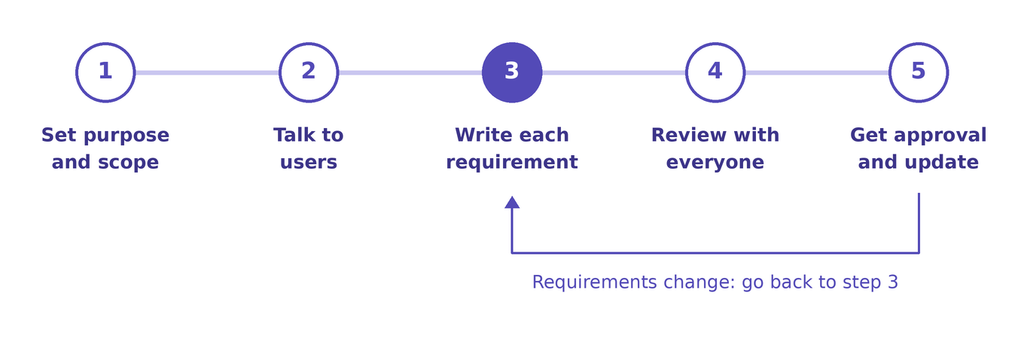
The process has five steps. Most of the work happens in the middle, where you collect and write the requirements.
1. Set the Purpose and Scope
Start by writing what the product is for and what it will leave out. A clear scope stops new ideas from creeping in halfway through the project.
2. Talk to the People Who Will Use It
Ask users, customers, and your own team what they need. Their answers become the raw material for the requirements. Write down the problems they describe as well as the features they ask for.
3. Write Each Requirement Clearly
Give each requirement one sentence and one idea. The ISO/IEC/IEEE 29148 standard says good requirements are unambiguous and verifiable. That means two people read it the same way, and a tester can check it. You will see how in the example below.
4. Review It With Everyone
Send the draft to the developers, the testers, and the client. Developers spot what is hard to build, and testers spot what they cannot check. Collect their comments before you finalize the document.
5. Get Approval and Keep It Current
Ask the decision-maker to sign off so no one argues later about what you agreed. After that, update the document when requirements change, and note the date of each change.
Software Requirements Document Template
| Section | Field | What to write there |
|---|---|---|
| Document details | Project name | The name of your project. |
| Version | The version number, such as 1.0. | |
| Date | The date of this version. | |
| Owner | The person who owns this document. | |
| 1. Introduction | 1.1 Purpose | Why this document exists and what it covers. |
| 1.2 Scope | What the product will do and what it will leave out. | |
| 1.3 Readers | Who will read this document, such as developers, testers, and the client. | |
| 1.4 Definitions | Terms and acronyms a new reader might not know. | |
| 2. Overall description | 2.1 Product summary | What the product is, in two or three sentences. |
| 2.2 Users | Who will use it and what each group wants to do. | |
| 2.3 Assumptions | Things you expect to be true, such as “users have internet access”. | |
| 3. Functional requirements | FR-1 | One behavior, in one sentence. Priority: Must, Should, or Could. |
| FR-2 | One behavior, in one sentence. Priority: Must, Should, or Could. | |
| FR-3 | Add one row for each behavior. | |
| 4. Non-functional requirements | Performance | How fast the product must respond. |
| Security | How the product protects data and access. | |
| Capacity | How many users it must handle at the same time. | |
| Availability | How often it must be up and running. | |
| 5. External interface requirements | Screens | The screens people use and what each one does. |
| Other software | Systems the product connects to, such as payments or email. | |
| Hardware | Any devices the product needs. | |
| 6. Open questions and approval | Open questions | Anything still undecided, with a name and a date for each. |
| Approved by | Name, role, and date. |
Software Requirements Document Example: Vague vs. Clear
Here is a small example. Say you are writing a software requirements document for a booking app. The first draft of a requirement is often vague, and a vague requirement leaves room for guesses.
Take the line “The app should be fast.” Nobody can test that. One developer thinks two seconds is fast, and another thinks five seconds is fine. A better version says “Search results appear in under two seconds.” Now a tester can time it and mark it as pass or fail.
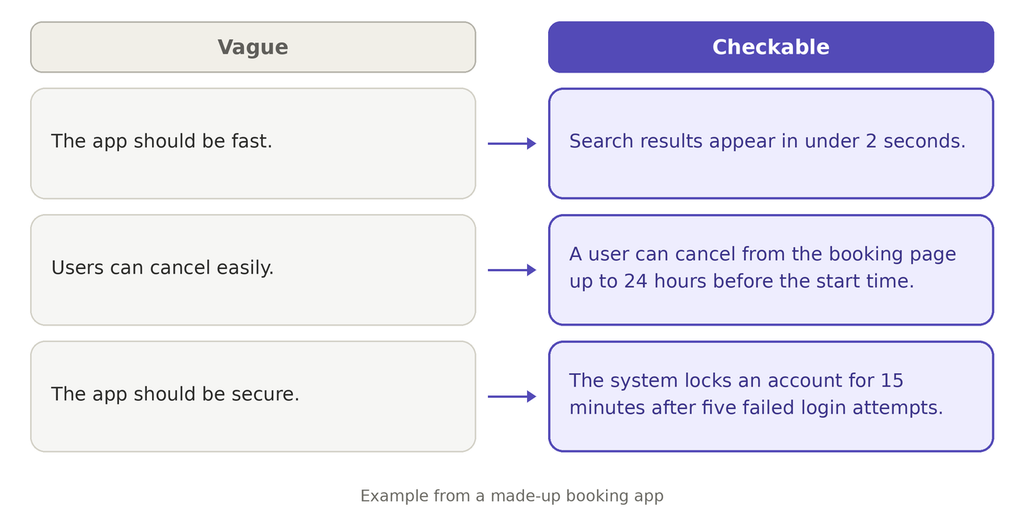
The same fix works for any requirement. Replace words like “fast” or “easy” with a number, a limit, or a clear action. Then ask one question about each line: Could a tester check this? If the answer is no, rewrite it.
Enjoyed this article?
Let’s talk about how a focused outsourcing partner can move your roadmap forward.